Generating a CSV file is very similar to generating a standard statement formatted for printing. From the BC OnLine main menu, select Account Management and click Submit to go to the Account Management menu.
From the Account Management menu, select Download CSV File and click Submit to go to the CSV Selection List (shown below).
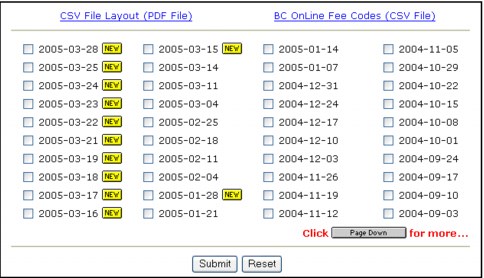
You can click CSV File Layout to view a PDF file explaining the file’s layout, or BC OnLine Fee Codes to download all of BC OnLine’s fee codes.
Select one statement CSV file from the list, then click Submit. Within a few minutes, your statement CSV file will be generated and delivered to your User Mailbox.